AutoTrader Guide: follow its strategy with your own broker
Our AutoTrader, shown live on the home page, keeps a 5-position paper portfolio picked from our highest-confidence signals. This guide walks through following the same strategy yourself, with your own money and your own broker.
1. Pick 5 stocks from the top 10
Open the Dashboard and sort by confidence score. Look at the top 10 highest-scoring BUY signals and choose 5 to build your portfolio from. A SELL signal means sell or avoid: the AutoTrader only buys. Use your own judgment when picking: avoid stacking too many picks from the same sector or industry, since that concentrates your risk instead of spreading it.
2. Only consider a 7/10 confidence score or higher
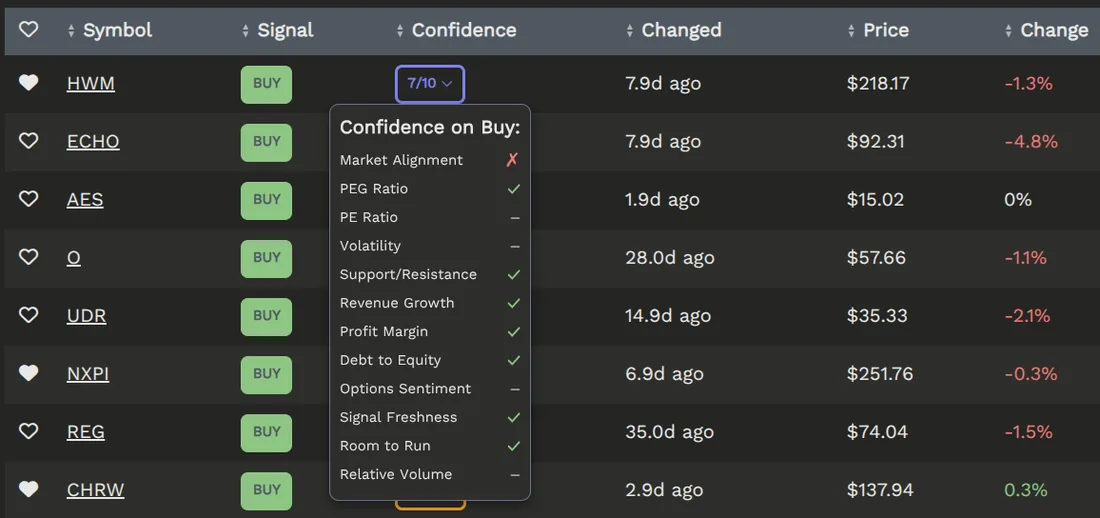
The confidence score rates each signal from 0–10 based on technical, fundamental, and market factors. A score of 7 or above is the recommended threshold for portfolio consideration; below that, the signal is considered too weak to act on. Premium users can click a score to see its full breakdown.
3. Favorite it, then buy it in real life
Once you’ve settled on a pick, click the heart icon on the Dashboard to favorite it. This starts tracking the position in your Paper Trading account automatically. Then place the equivalent buy order with your own broker: Laftel Trade is not a brokerage and does not execute trades on your behalf.
4. Weigh your picks equally
Split your available funds evenly (or close to it) across your picks. For example, if you have $100,000 to deploy across 5 picks, that’s $20,000 per position. Equal weighting keeps any single pick from dominating your portfolio’s risk, and it’s the same approach your Paper Trading account uses automatically as you favorite and unfavorite assets.
5. Sit back and wait for alerts
Once you’re in, let the alerts do the watching. Premium users receive notifications for signal changes, likely signal changes during the trading day, profit milestones (every 10% gain), a BUY’s confidence dropping to 5 or below, and earnings warnings two days before a report. Each alert tells you when it may be time to rebalance, take profits, or exit. You can review your notification history any time on the Notifications page.
6. Unfavorite when you exit
When an alert (or your own judgment) tells you it’s time to close a position, sell it with your broker first, then unfavorite it on the Dashboard so your Paper Trading account reflects the exit and the slot is freed up for your next pick.
7. Track your progress in Paper Trading
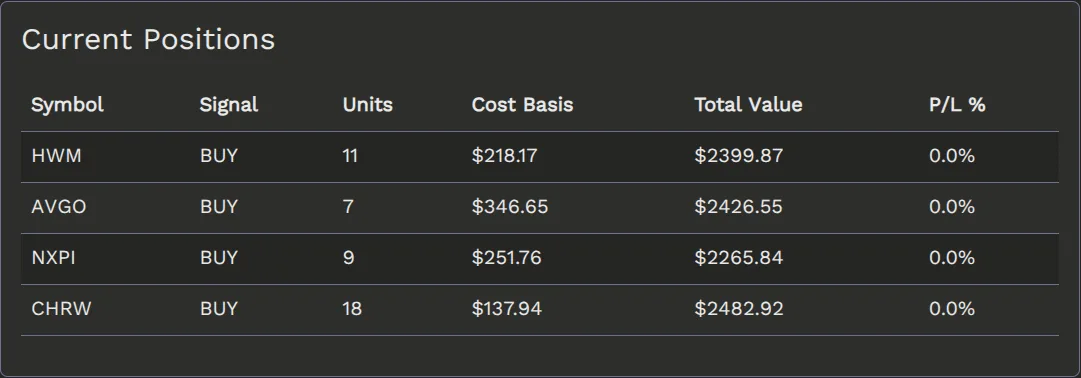
Your Paper Trading page mirrors every favorite you hold with equal-weighted positions, so you can follow your account value, open positions, and trade history in one place without needing to log into your broker. New to it? Read what paper trading is and how it works.
Not financial advice. This guide is general education, not a recommendation to buy or sell any security. Investing involves risk, including the loss of money you invest, and past results don’t guarantee future results. See our Terms and Conditions.